
Working on the images
Image enhancement tools in Final Cut Pro X
Video noise reduction when shooting in low light:
Improving images in low light.
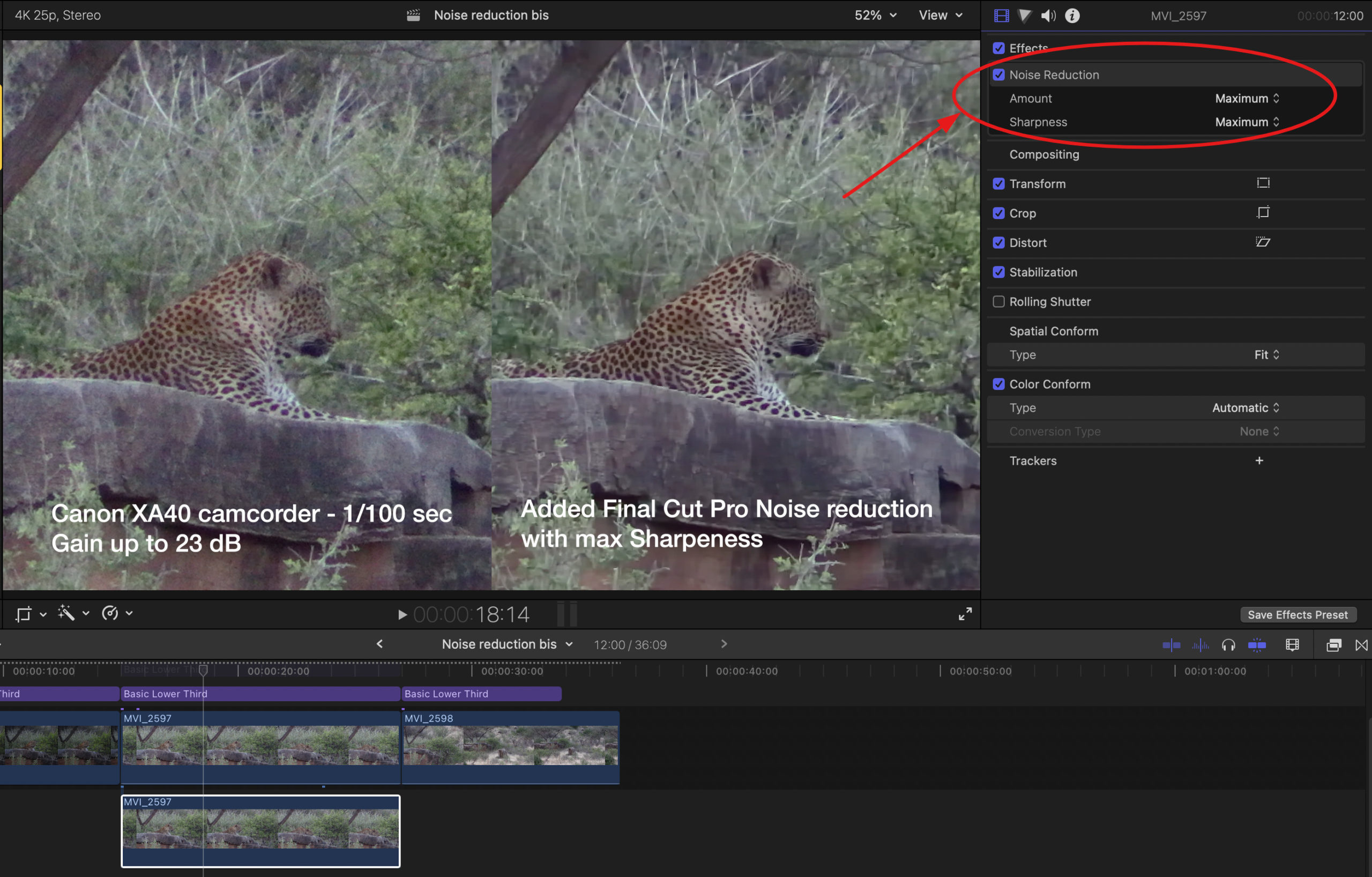
Unlike cameras, video camcorders are able to film under very bad light conditions by pushing the gain to the extreme as shown in the example above.
FCP tools such as improving contrast, black depth and denoising can do nearly miracles.
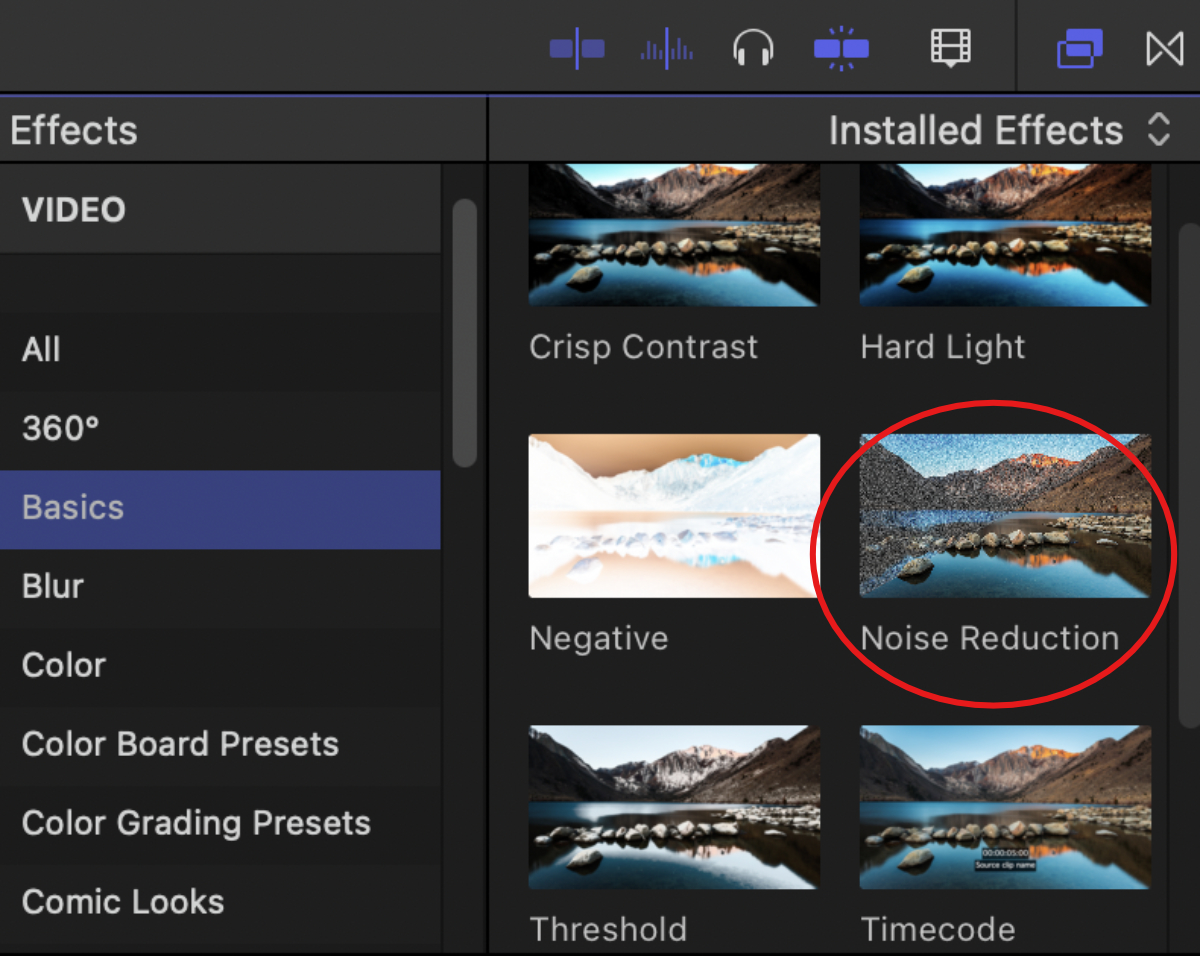
To apply noise reduction to a clip, go to the final Cut Pro effects tab.
The effect is found in the Basics effects. Simply drag it onto the clip to be processed.
As seen below, the "Imspector" tab then displays the "Noise Reduction" effect. It is thus possible to adjust the importance to 4 degrees from Low to Maximum. Similarly, you can choose the sharpness between 7 levels. Here, given the particularly difficult conditions, I pushed both effects to the maximum, with a very nice result.
 English
  French